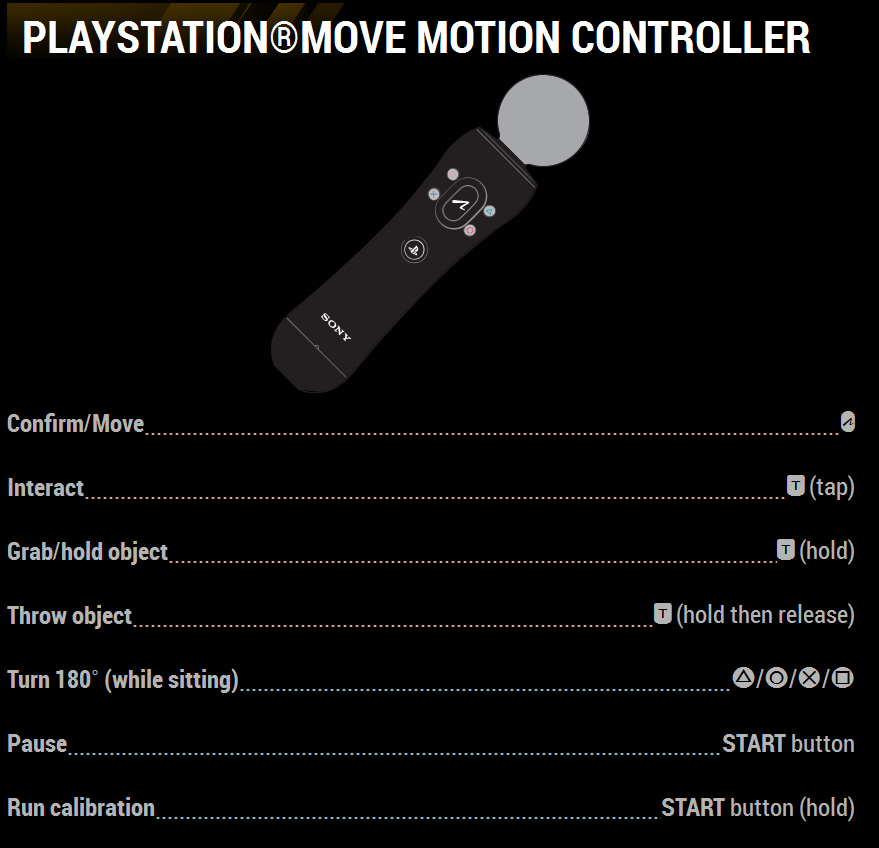
Playstation®Move Motion Controller
Move Button = Confirm/Move
Trigger (tap) = Interact
Trigger (hold) = Grab/hold object
Trigger (hold then release) = Throw object
Triangle/Circle/X/Square buttons = Turn 180 degrees (while sitting)
START button = Pause
START button (hold) = Run calibration
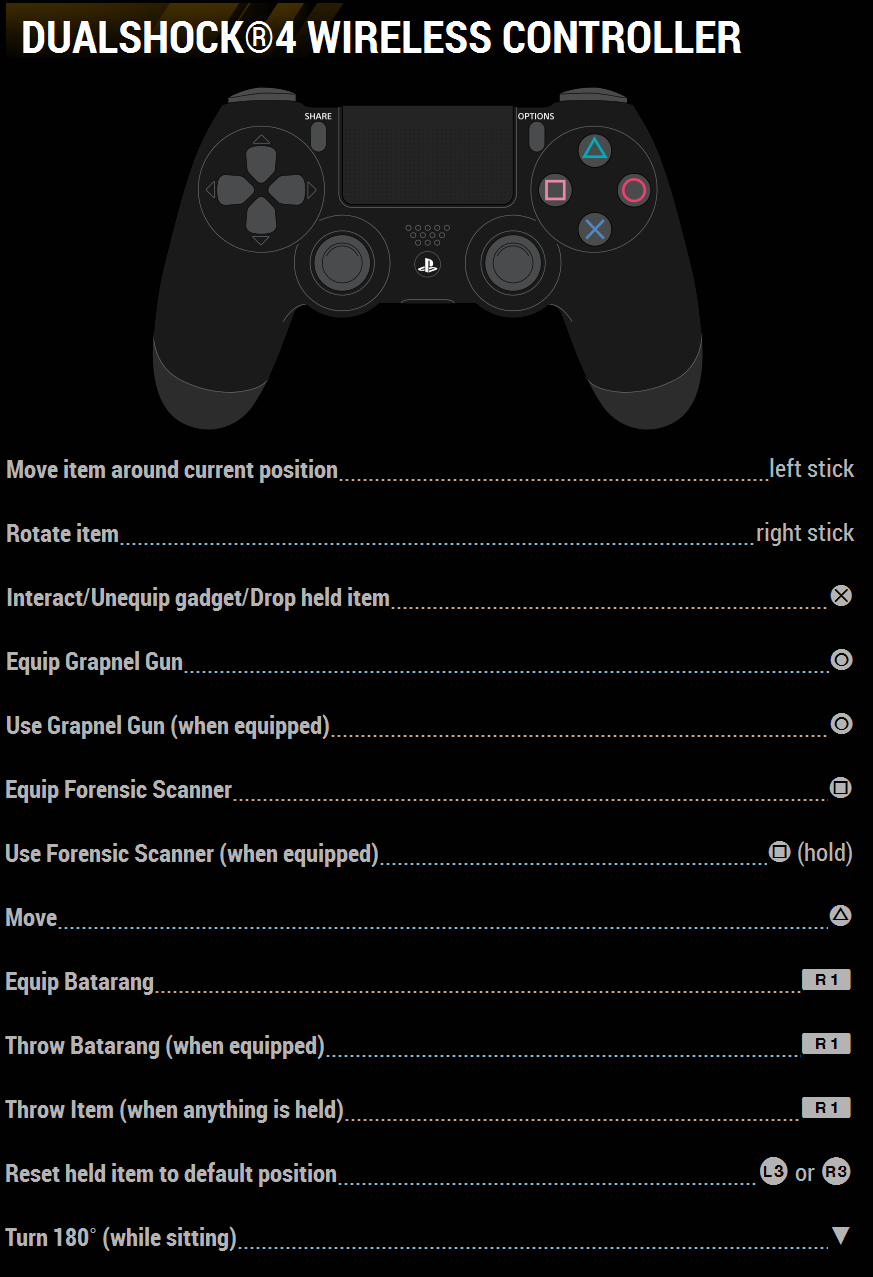
Dualshock®4 Wireless Controller
Left Stick = Move item around current position
Right Stick = Rotate Item
X button = Interact/Unequip gadget/Drop held item
O button = Equip Grapnel Gun
O button = Use Grapnel Gun (when equipped)
Square button = Equip Forensic Scanner
Square button (hold) = Use Forensic Scanner (when equipped)
Triangle button = Move
R1 button = Equip Batarang
R1 button = Throw Batarang (when equipped)
R1 button = Throw item (when anything is held)
L3 or R3 buttons = Reset held item to default position
Down D-Pad = Turn 180 degrees (while sitting)